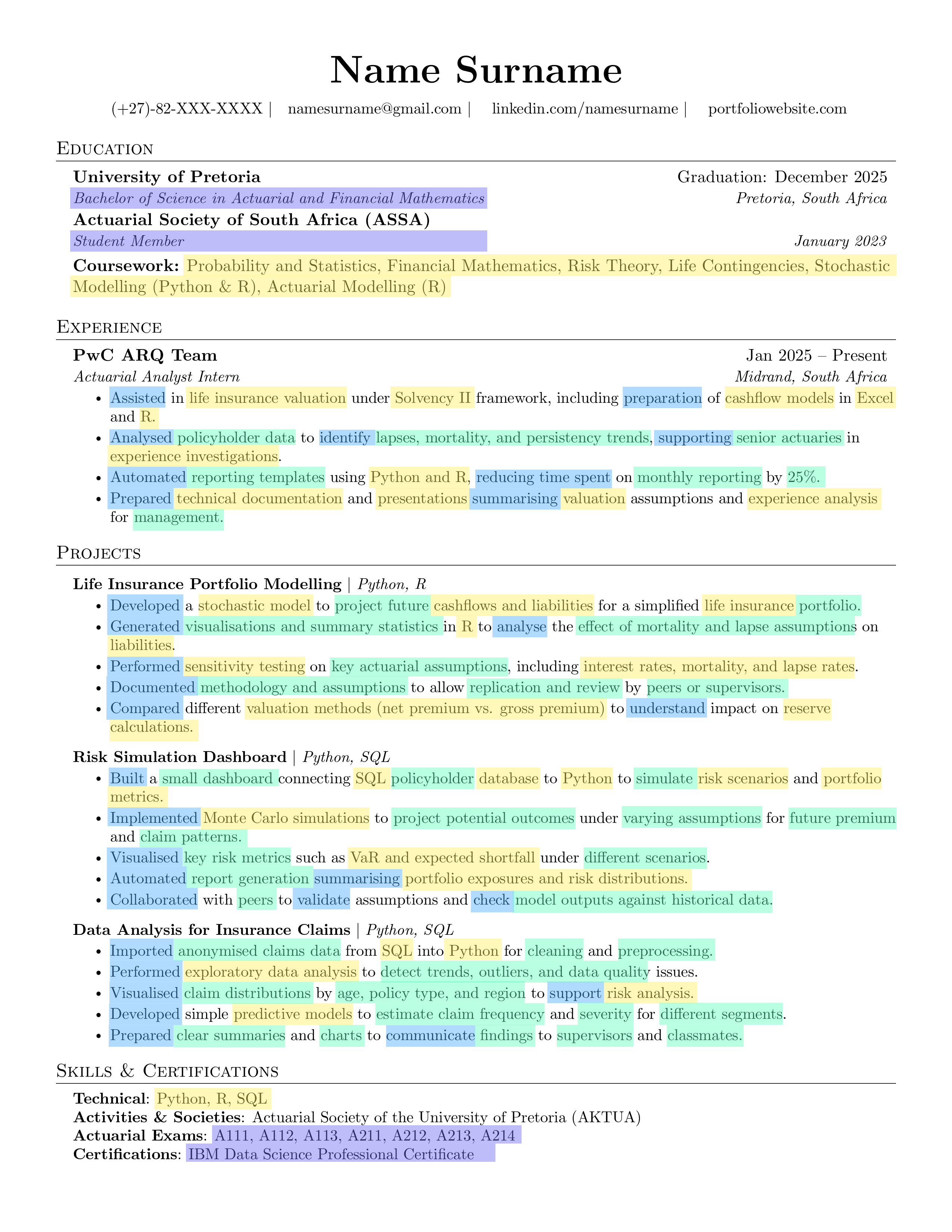
How to use this CV template
This CV template is designed to help you present your technical and analytical skills clearly,
professionally, and in a way that passes Applicant Tracking Systems (ATS).
Available file formats
Choose the format that works best for you
LaTeX — recommended for precise formatting and professional output
DOCX — suitable if you prefer editing in Microsoft Word
Using LaTeX with Overleaf
- Create a new project and select Upload Project
- Upload the provided
.tex files
- Compile the project to generate your PDF
Visit Overleaf
Personal information
Update with your own details
Include
- Name, email address, and phone number
- Location (city and country)
- Relevant URLs (LinkedIn, GitHub, portfolio)
Avoid
- Date of birth, marital status, or photographs
Work experience
Replace placeholders with your own experience
Best Practices
- Focus on impact rather than responsibilities
- Highlight technical skills such as Python, SQL, C++, R, or Excel
- Quantify outcomes wherever possible
Maintaining ATS compliance
Ensure your CV passes automated screening
Avoid
- Tables or text boxes
- Icons, graphics, colours, or logos
- Images or photographs
Safe to use
- Simple bold text and bullet points
- Black-and-white PDFs only
- Standard fonts and consistent font sizes
CV best practices
Tips for creating an effective CV
Guidelines
- Keep your CV to one page unless you have 8+ years of experience
- Use strong action verbs such as engineered, optimised, designed, improved
- Include metrics followed by impact (e.g. RMSE reduced by X%, profits increased by Y%)
- List technical tools: Python, SQL, C++, NumPy, Pandas
- Reference actuarial and quantitative techniques: Machine Learning, GARCH, SABR, IFRS
- Avoid filler phrases such as hardworking or team player
File type and naming conventions
Professional file handling
Requirements
- Always submit your CV as a PDF — never as an image
- Use a professional file name, for example:
Firstname_Lastname_Resume.pdf
Your CV should clearly demonstrate both technical capability and analytical thinking.
It should communicate not only what you have done, but the impact of your work, using evidence, metrics, and relevant tools.
Keep it concise, professional, and technically sound, with a clear structure that allows recruiters and automated systems to assess your suitability quickly and effectively.